
Captain
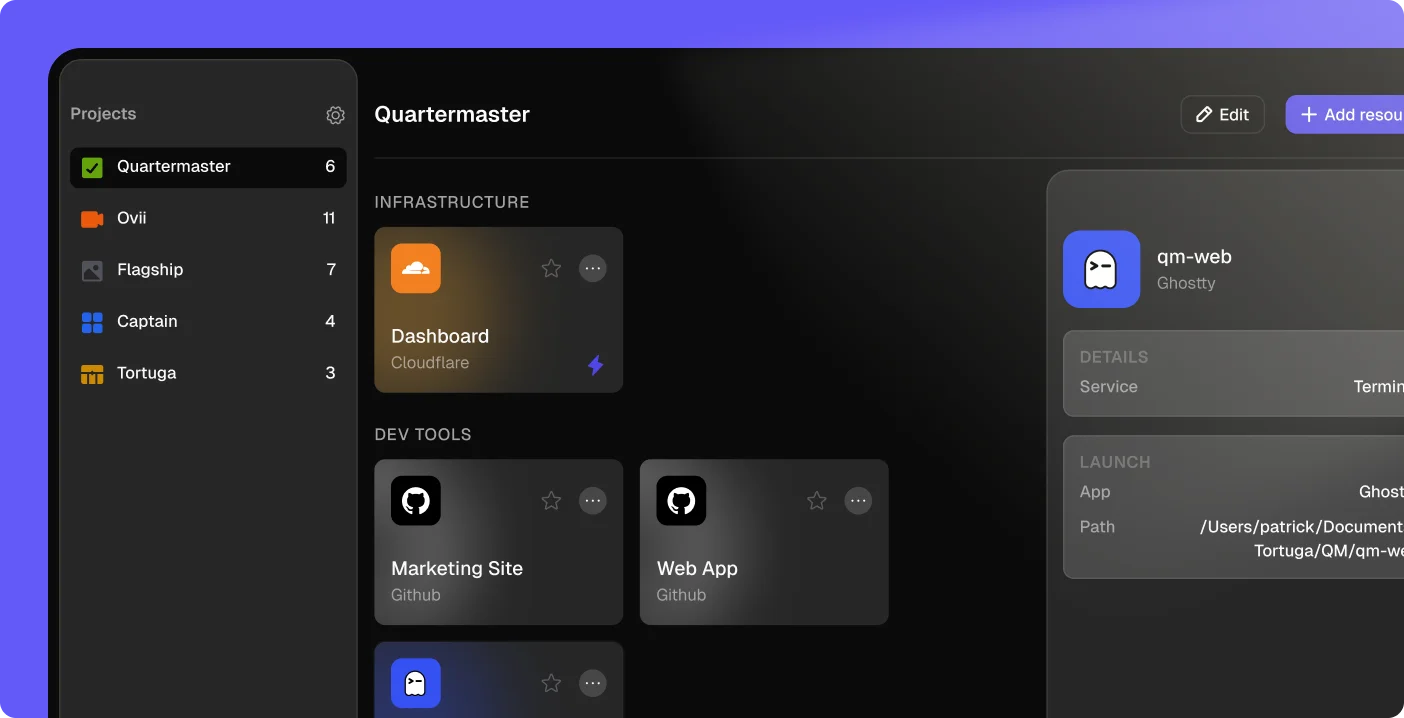
Captain helps AI-native builders manage all of the links, documents, repositories and accounts across projects.
-
Website
-
Category
-
Build & Develop
-
Launched
-
Coming soon...
-
Last update
-
Mar 2, 2026
Frequently Asked Questions
What is Captain?
Captain is a native Mac app that organizes all the third-party services you use across your projects into one place. Instead of juggling dozens of browser tabs and bookmarks to access things like Cloudflare, GitHub, Stripe, Vercel, and Supabase, Captain groups everything by project so you can find and open what you need in one click.
Is my data stored on your servers?
No. All of your project data, resource links, and API tokens are stored locally on your Mac. API tokens are kept in your macOS Keychain. The only information sent to our servers is your email address for verifying your Tortuga subscription. We don't collect analytics, usage data, or telemetry from within the app.
What services does Captain support?
Captain currently supports Cloudflare, Vercel, Google Cloud, Neon, Supabase, GitHub, App Store Connect, Stripe, RevenueCat, Twilio, and OneSignal. You can also add any service as a simple link. Cloudflare has the deepest integration, with the ability to automatically fetch your workers, databases, buckets, and other resources.
How much does Captain cost?
Captain is included in the free tier of the Tortuga Bundle. You just need an active Tortuga account to download and use it.
What happens to my data if I cancel my subscription?
Your project and resource data stays on your Mac — it's all stored locally, so nothing is lost. You just won't be able to open Captain until you resubscribe. Once you do, everything will still be there.
Does Captain access my third-party accounts?
Only if you choose to connect them. For services like Cloudflare, you can provide an API token so Captain can fetch your resources automatically. That token is stored in your macOS Keychain and communicates directly with Cloudflare's API — it's never sent to Tortuga's servers. For all other services, you simply add a name and URL to keep things organized.
Can I export my data?
Yes. Captain has a built-in export feature (⌘⇧E) that saves all your projects and resources as a Markdown file, organized by project and category.
What are the system requirements?
Captain requires macOS 14 (Sonoma) or later.
Who makes Captain?
Captain is a tool built by Tortuga AI, Inc., a software company that focuses on distribution tools for AI builders. If you have questions or need support, you can reach the team at support@bytortuga.com.