Comparing Models: The Reference Photo Test
We tested seven AI image generation models on one specific task — turning app screenshots into marketing-ready mockup photos.
March 10, 2026
I needed a phone mockup for an app store listing. Take a screenshot, feed it to an image model as a reference photo, get back a lifestyle shot of the phone on a nice surface. Should take five minutes.
Four hours later I had a spreadsheet and strong opinions about every model that claims to handle reference-based image generation. The short answer: Flux 2 Pro is the best option for most teams — it’s fast, affordable, and preserves your reference image better than anything else I tested.
Here’s what I found: most of these models will produce gorgeous backgrounds and then scramble your UI text into hieroglyphics. The ones that preserve your reference perfectly will output something too small to use on a landing page. And the one from the company you’d expect to nail it will swap your user’s face with someone else’s entirely.
The Short Version
If you just want the answer, here it is:
| Model | Resolution | Fidelity | Consistency | Avg Time | Cost |
|---|---|---|---|---|---|
| Seedream 4 | 5 | 2 | 5 | 32.3s | $0.03 |
| Gemini 2.5 Flash | 3 | 5 | 5 | 12.1s | $0.03 |
| GPT Image 1.5 | 3 | 2 | 3 | 61.1s | $0.01 |
| Nano Banana | 3 | 3 | 5 | 11.8s | $0.03 |
| Qwen Image 2 | 1 | 3 | 2 | 14.2s | $0.08 |
| Flux 2 Pro | 5 | 5 | 4 | 15.5s | $0.09 |
| Nano Banana Pro | 5 | 4 | 5 | 37.3s | $0.15 |
Flux 2 Pro wins. It’s faster and cheaper than Nano Banana Pro, with nearly identical quality. But the details matter, so keep reading.
What I Tested
I ran every model through Replicate so the comparison stayed apples-to-apples. Seven models total: ByteDance’s Seedream 4, Google’s Gemini 2.5 Flash Image, OpenAI’s GPT Image 1.5, Qwen Image 2, Google’s Nano Banana, Google’s Nano Banana Pro, and Black Forest Labs Flux 2 Pro.
I picked three reference screenshots, each designed to stress-test something specific:
- A mobile home screen with a bold brand color — does the model preserve browser UI elements and keep the background color accurate?
- A social post detail view with faces and text — does the model handle profile photos without warping or swapping faces?
- A text-heavy settings screen — can the model render actual words without jumbling letters into nonsense?
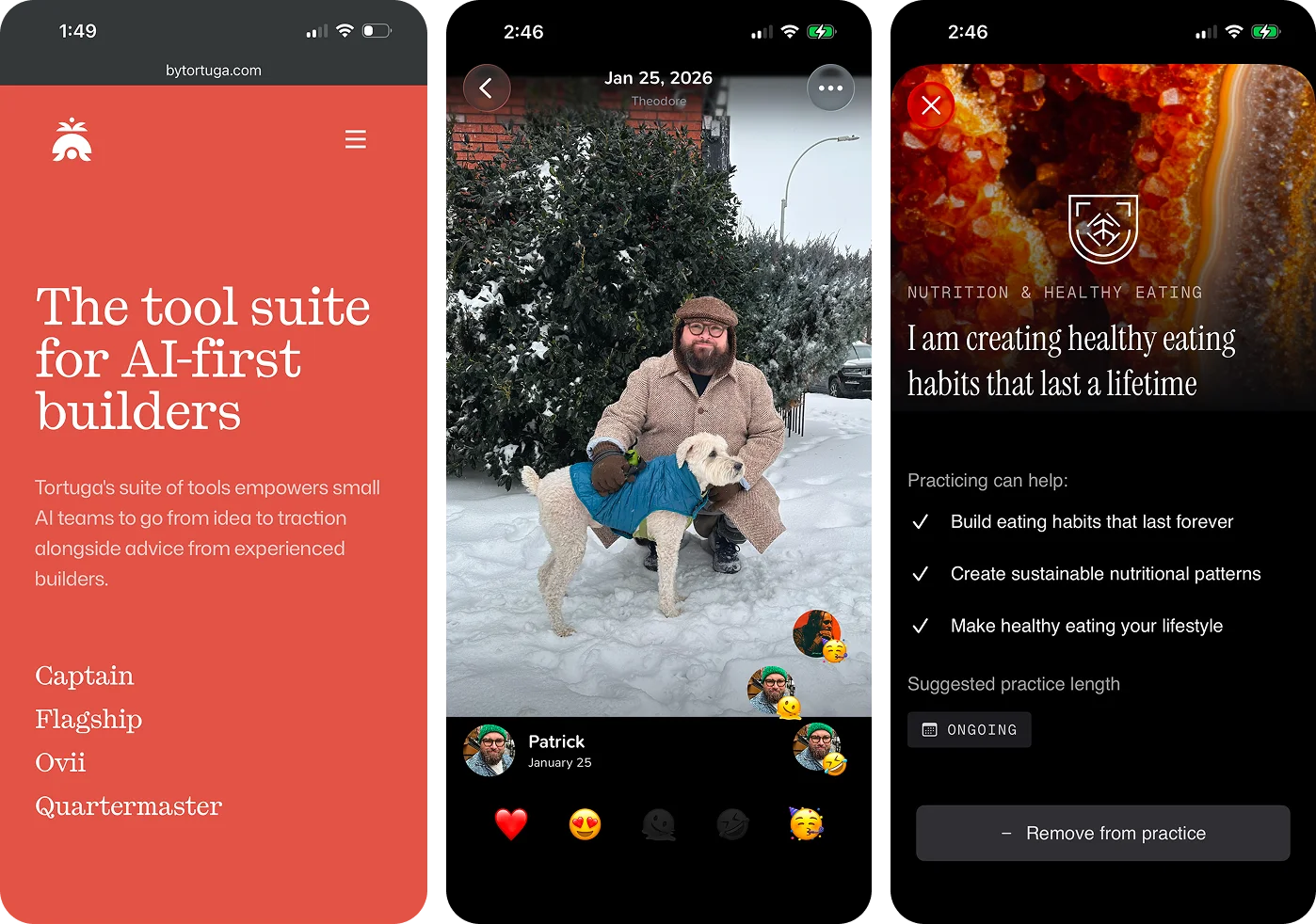
Each reference got the same three prompts: an iPhone 16 shot top-down on a weathered wooden table with dark moody lighting, on white marble with bright natural lighting, and on a Turkish rug with eucalyptus in natural lighting.
How I Scored
Each model got a 1–5 on three dimensions. The quick version:

Image Resolution — Can I use this at marketing scale without upscaling? 5 is retina-ready for a landing page hero. 1 is too pixelated for anything customer-facing.

Reference Fidelity — Does the output respect what I gave it? 5 means no hallucinations, no warped elements, no creative liberties with my UI. 1 means the model basically ignored the reference.

Prompt Consistency — Do all three background variations come back usable? 5 means three for three. 1 means the quality was random.
Generation time, cost, and available aspect ratios are reported as hard values.
The Breakdown
Seedream 4
| Resolution | Fidelity | Consistency | Avg Time | Cost |
|---|---|---|---|---|
| 5 | 2 | 5 | 32.3s | $0.03 |
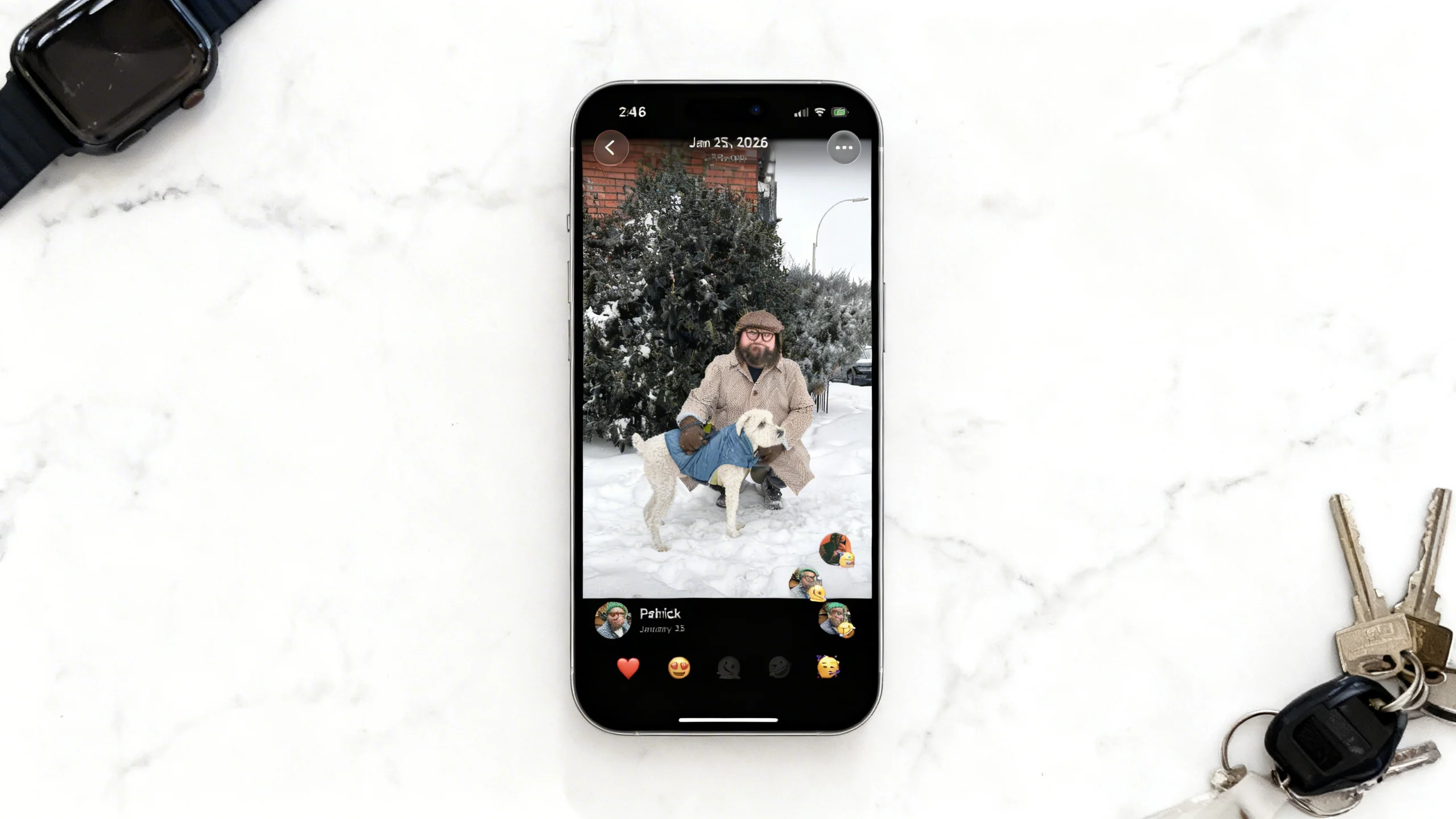
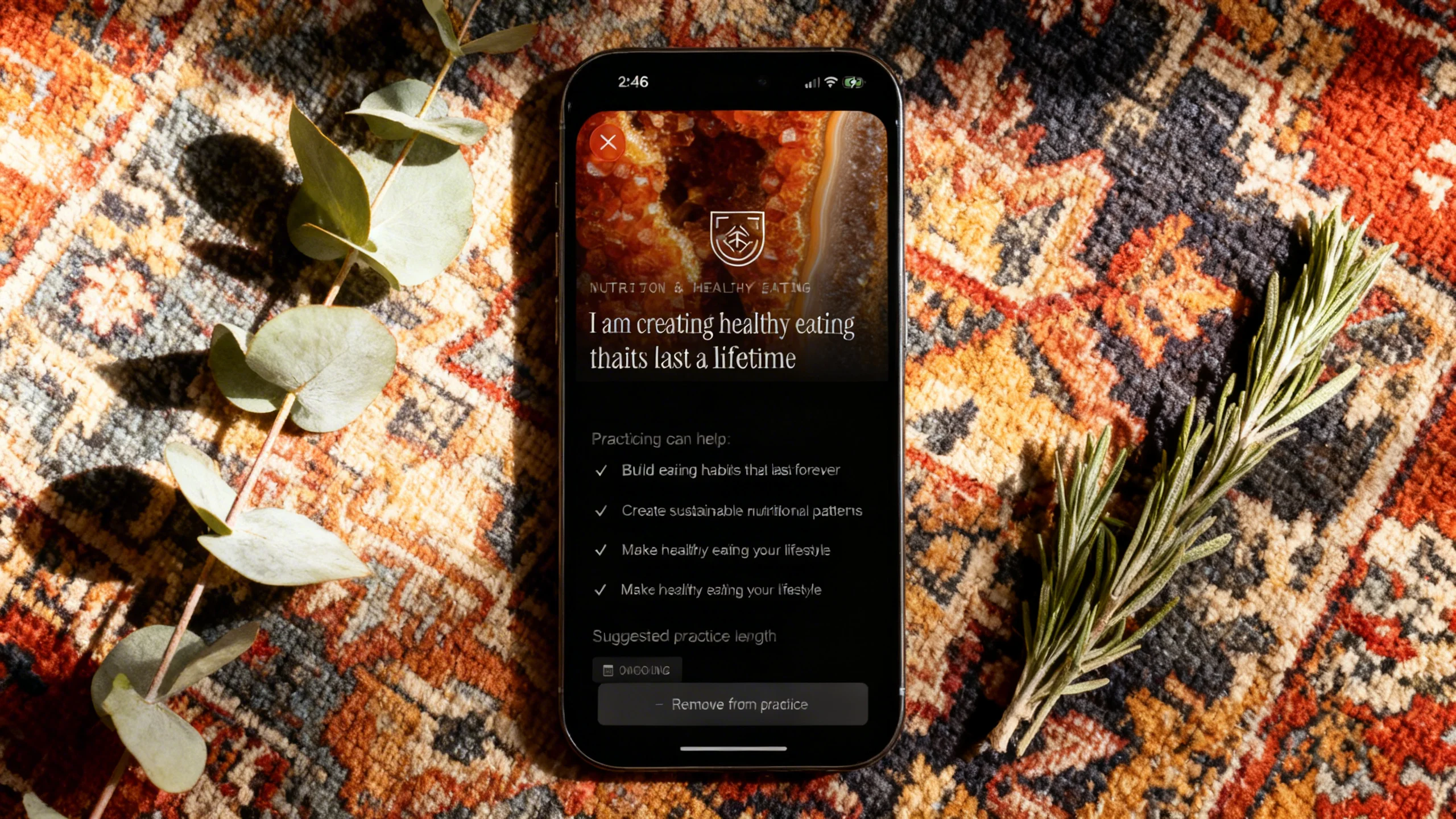
The most maddening model I tested. Seedream produced the best backgrounds of the entire group. The lighting was cinematic. The wood grain looked real. The marble had actual depth.
And then you look at the phone screen and your app’s headline is unreadable. Words were consistently jumbled across all three reference images. The faces in the social post got warped beyond recognition. It wasn’t subtle — these aren’t images you could ship.
If you need a lifestyle photo where the phone screen doesn’t matter, Seedream is excellent. For reference-based work where the whole point is the reference? Can’t use it.
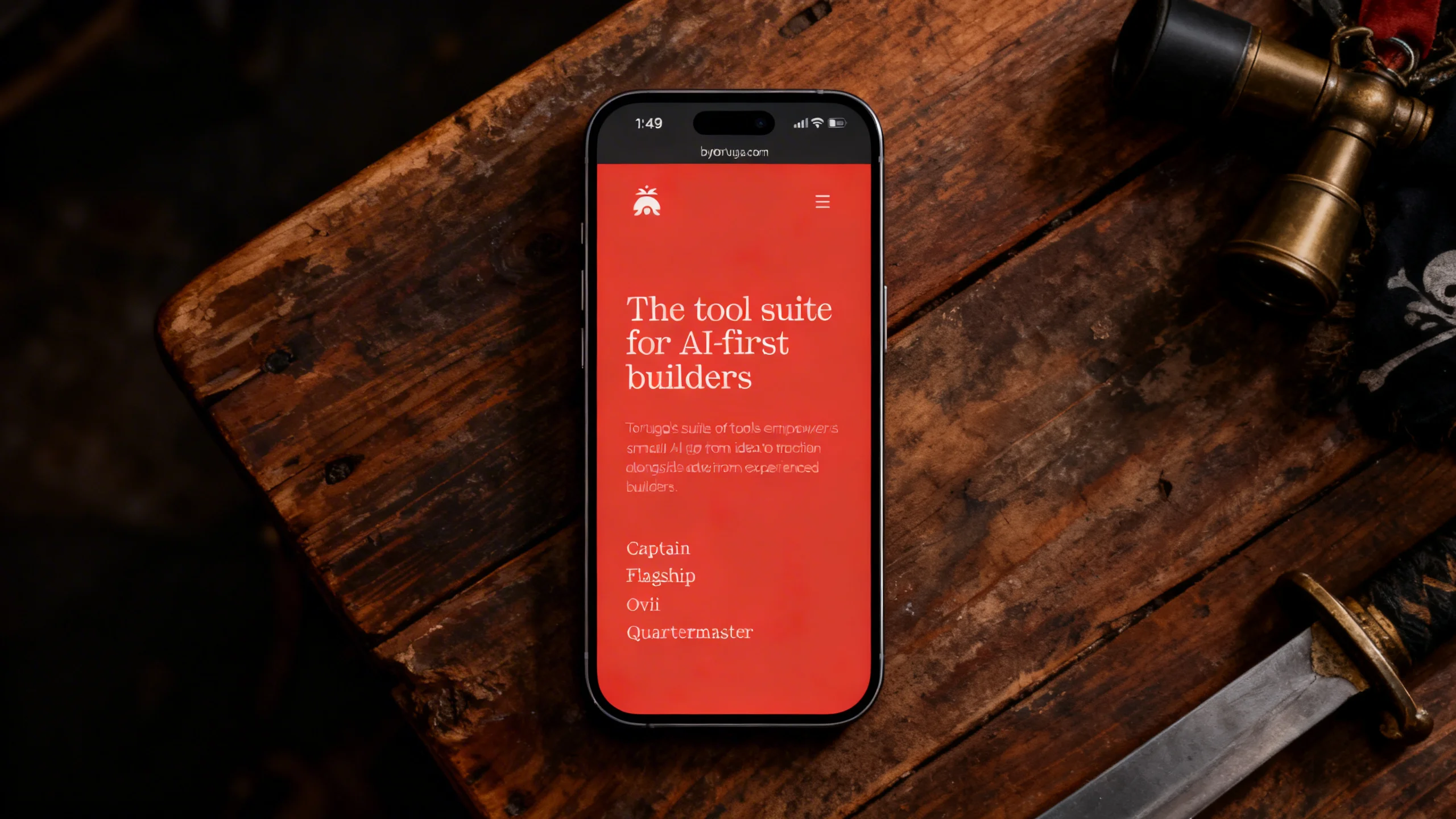
Seedream 4 — tested by Tortuga
Gemini 2.5 Flash Image
| Resolution | Fidelity | Consistency | Avg Time | Cost |
|---|---|---|---|---|
| 3 | 5 | 5 | 12.1s | $0.03 |
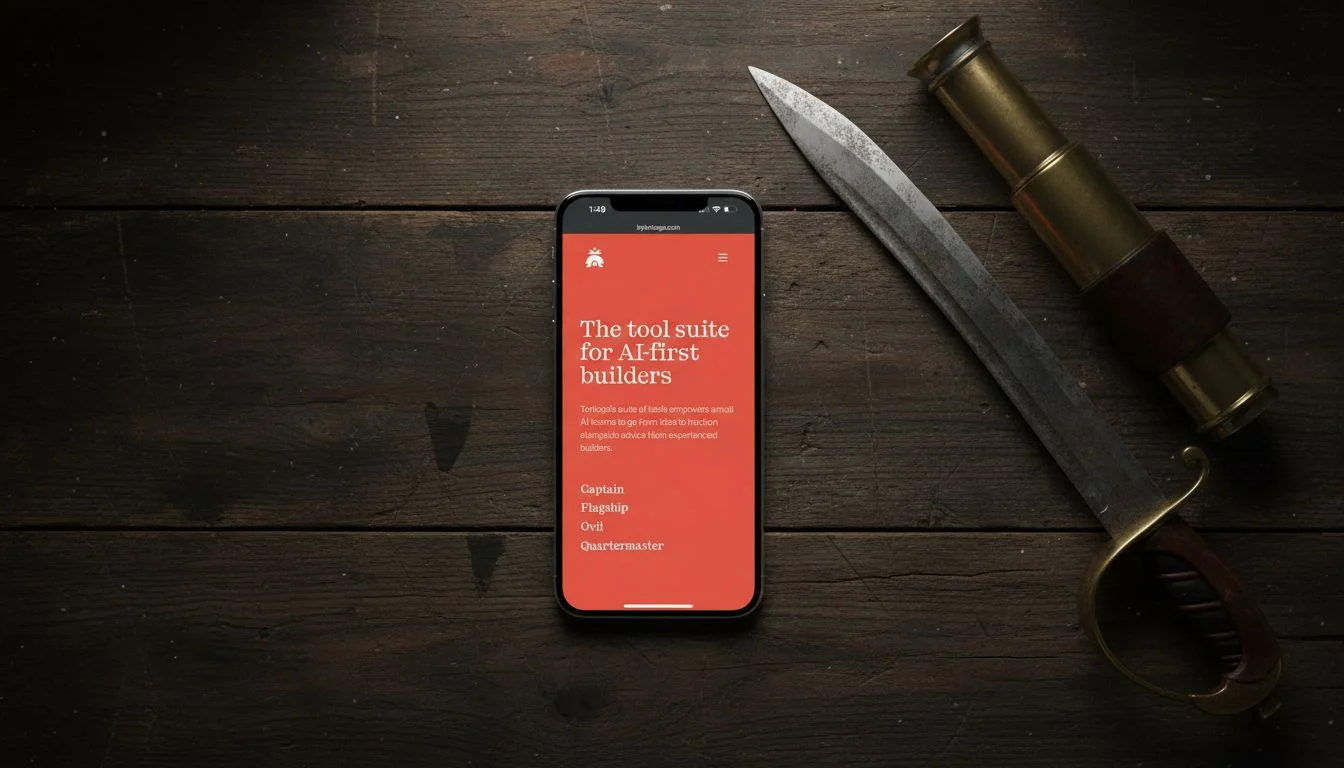
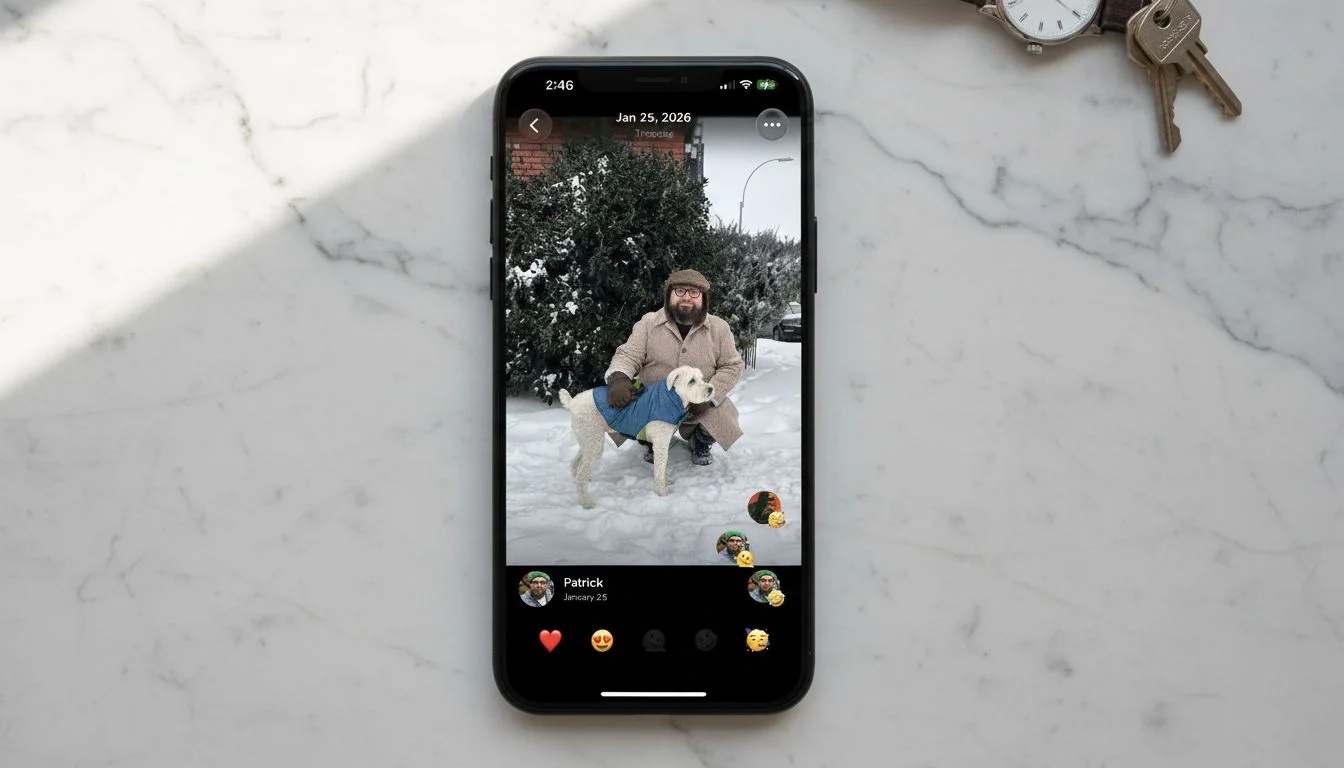
This was the surprise. Gemini preserved the reference screenshot with near-perfect accuracy across all three prompts. Every line of text was readable. Colors were correct. Faces stayed intact. And it did it in twelve seconds for three cents.
The problem is the output resolution. These images aren’t big enough for app store screenshots or landing page heroes. For social posts and pitch decks, Gemini is arguably the best option at the lowest price. For anything that needs to scale up, you’re stuck.
I’ll be watching this one. If Google bumps the resolution — or even lets you trade generation time for larger output — Gemini becomes the model to beat.
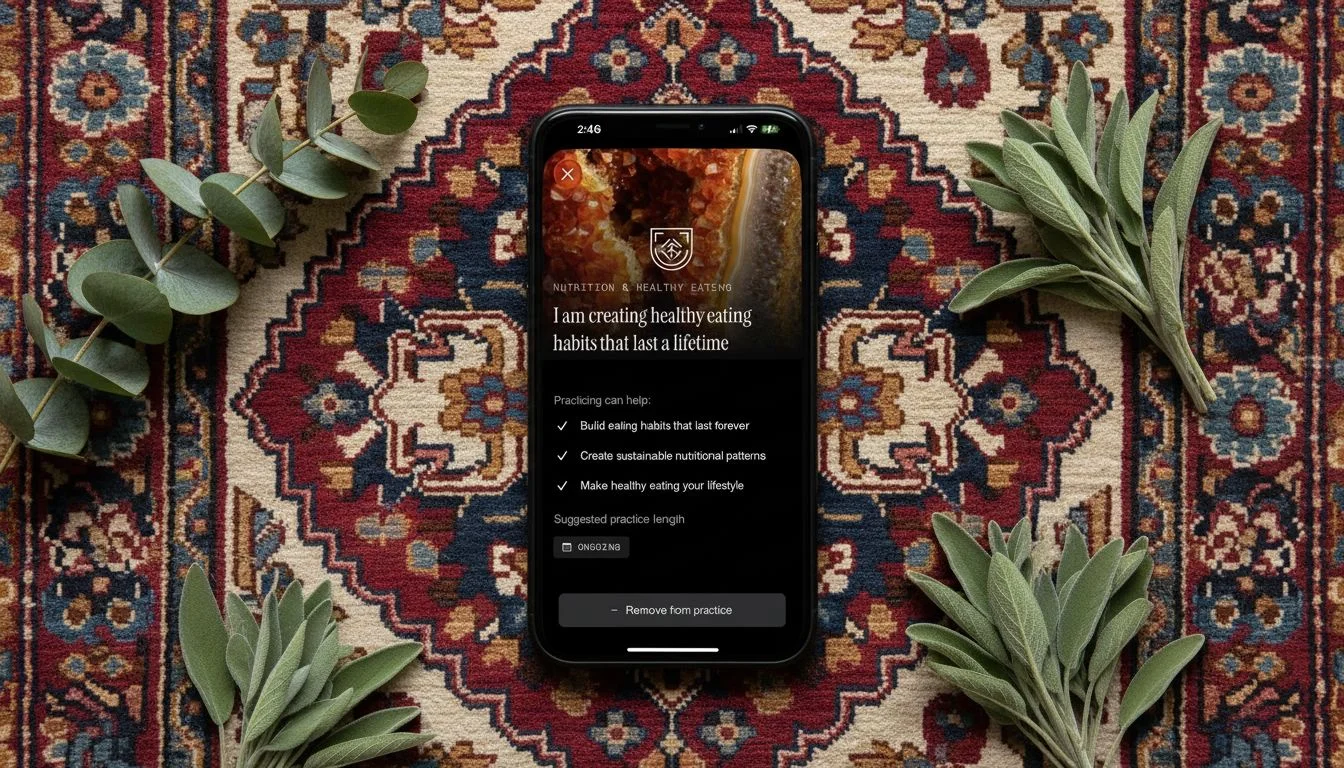
Gemini 2.5 Flash Image — tested by Tortuga
GPT Image 1.5
| Resolution | Fidelity | Consistency | Avg Time | Cost |
|---|---|---|---|---|
| 3 | 2 | 3 | 61.1s | $0.01 |
I expected more from OpenAI. The brand color in the first reference came back oversaturated. The logo warped. The social post reference was worse — the model didn’t just distort the face, it swapped it out for a different person entirely. And the emojis at the bottom of the screen got cut off.
Maybe more frustrating: I explicitly prompted for a 90-degree top-down angle, and multiple outputs came back at 45 degrees. When a model ignores the angle you asked for on top of mangling the reference, it’s hard to trust it for production work.
At a minute per image — the slowest in the test — I can’t recommend this for reference-based generation.
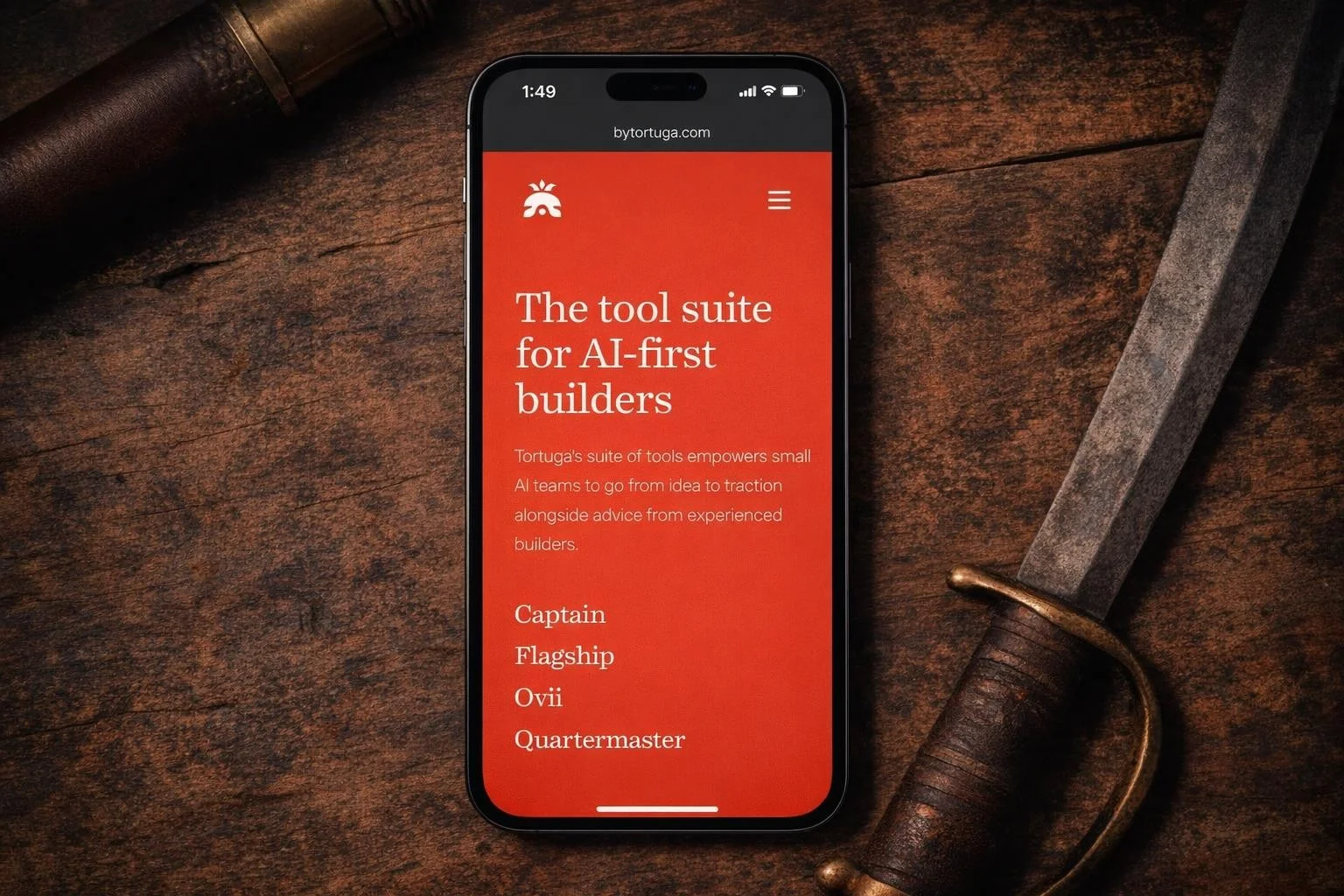
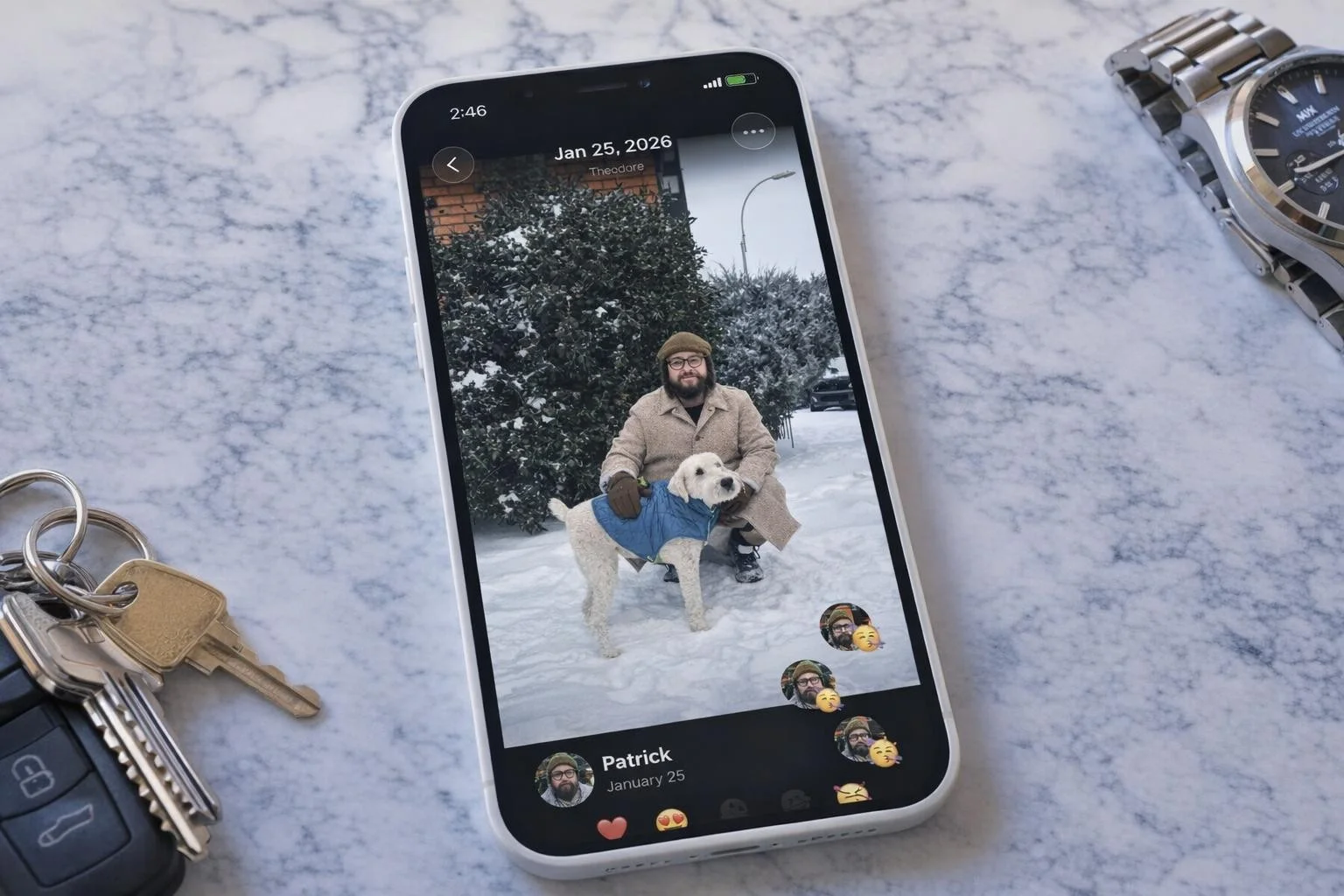
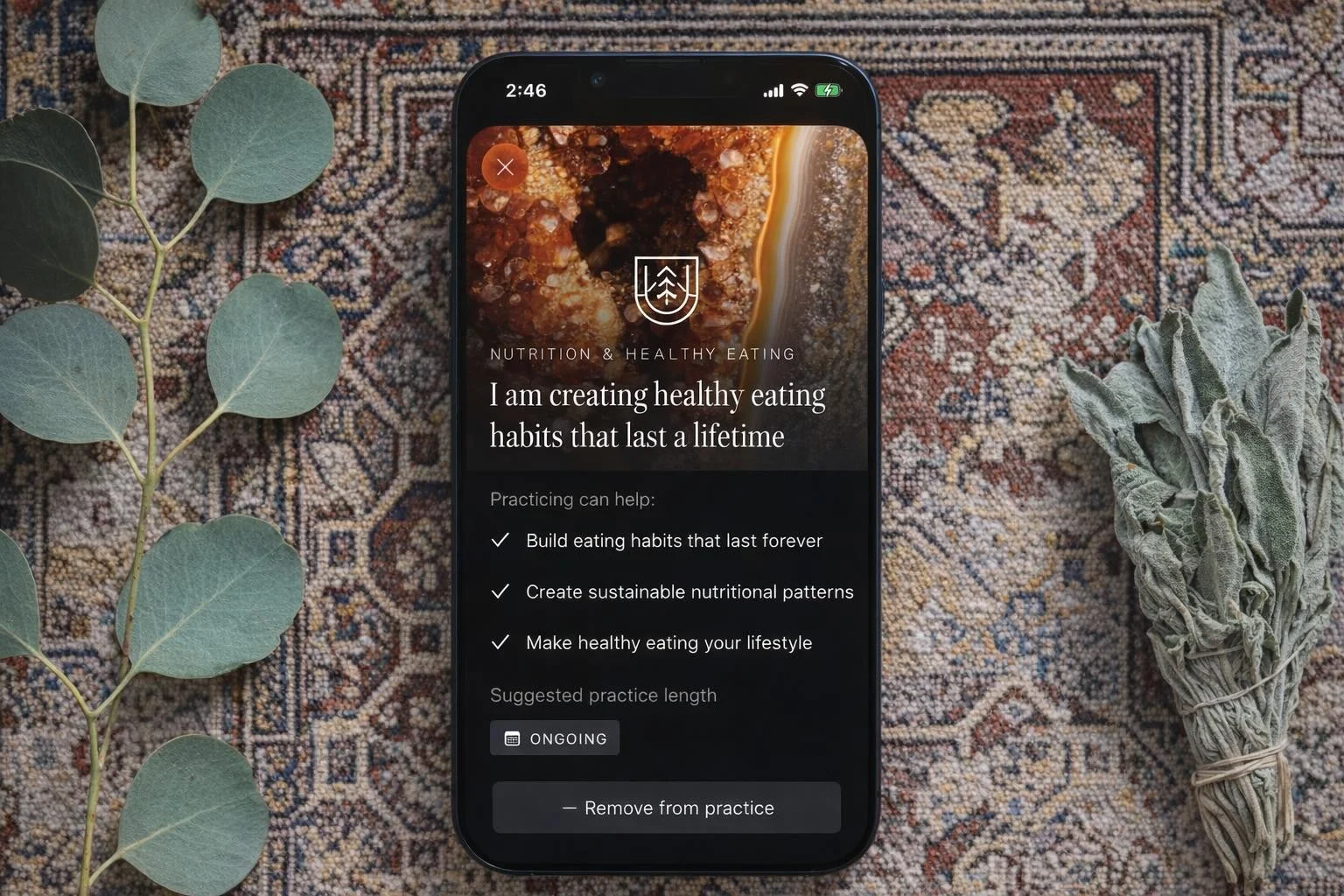
GPT Image 1.5 — tested by Tortuga
Nano Banana
| Resolution | Fidelity | Consistency | Avg Time | Cost |
|---|---|---|---|---|
| 3 | 3 | 5 | 11.8s | $0.03 |
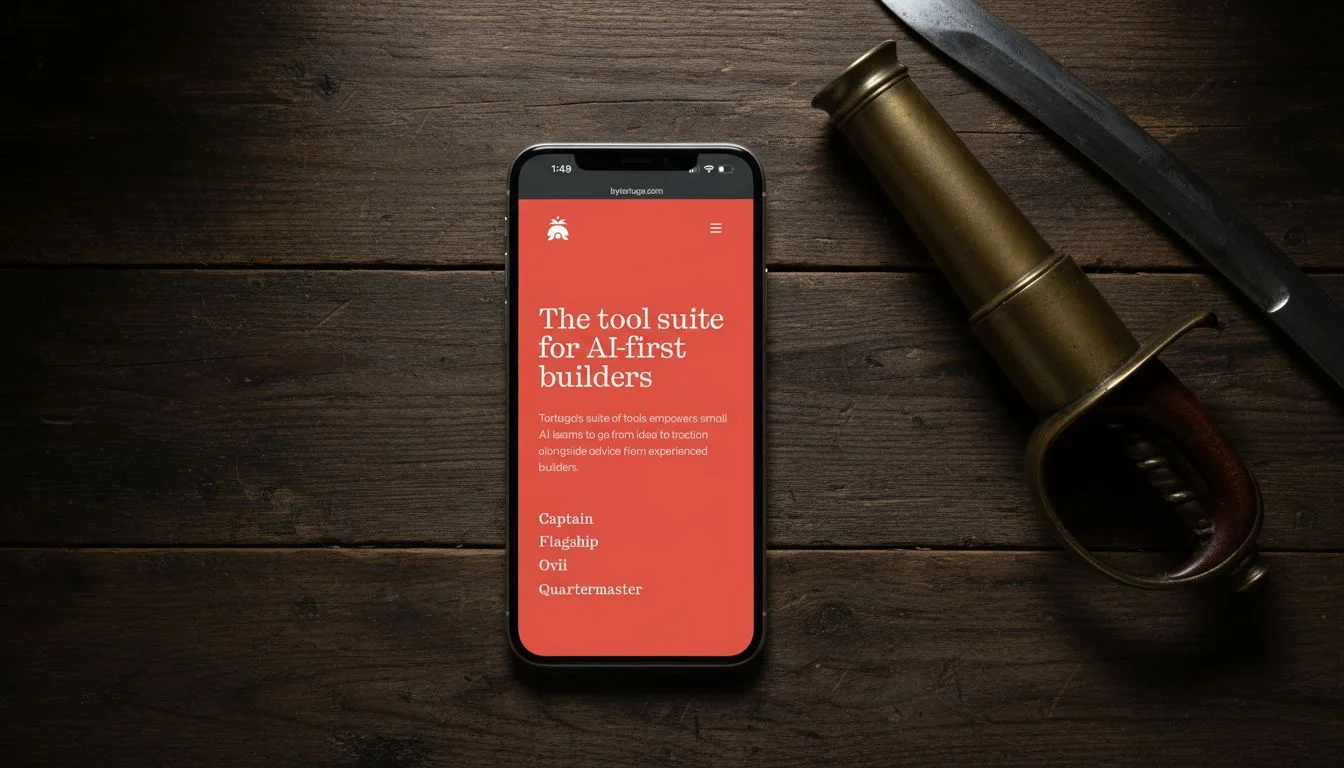
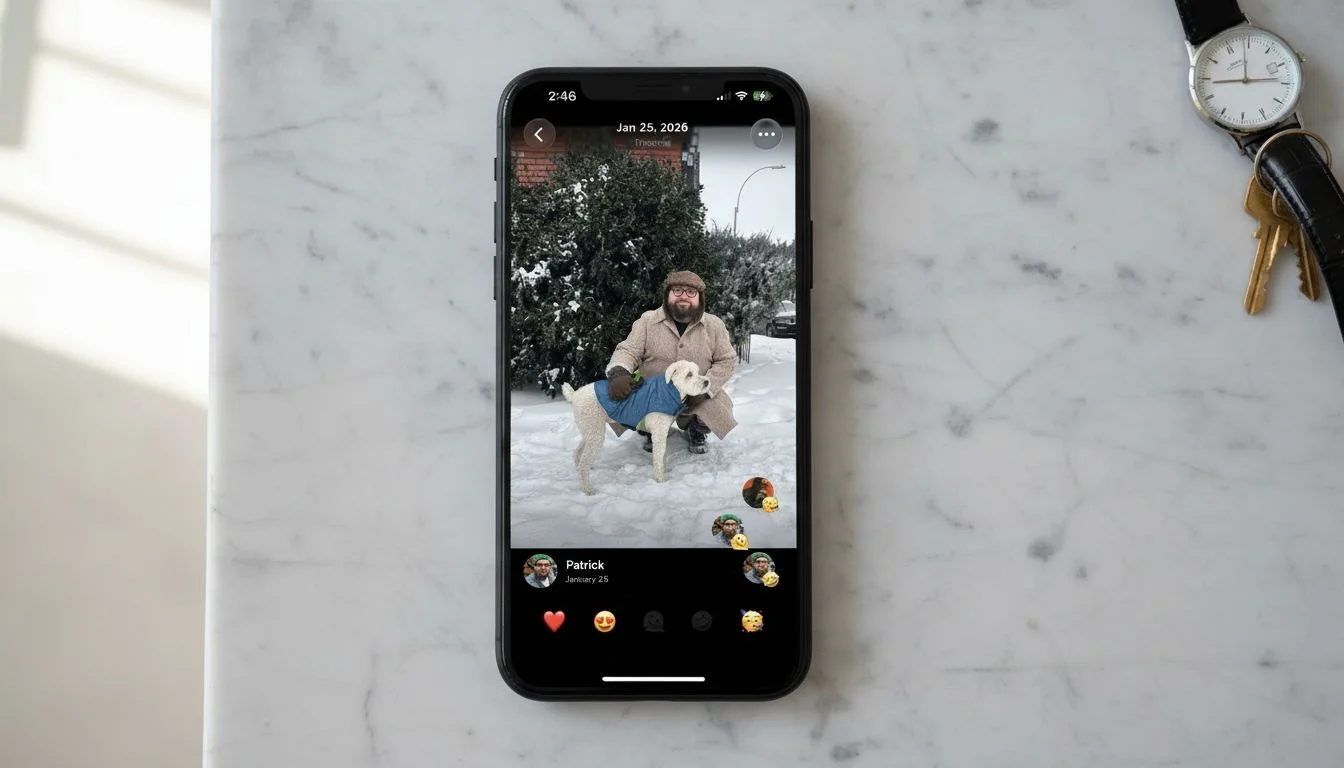
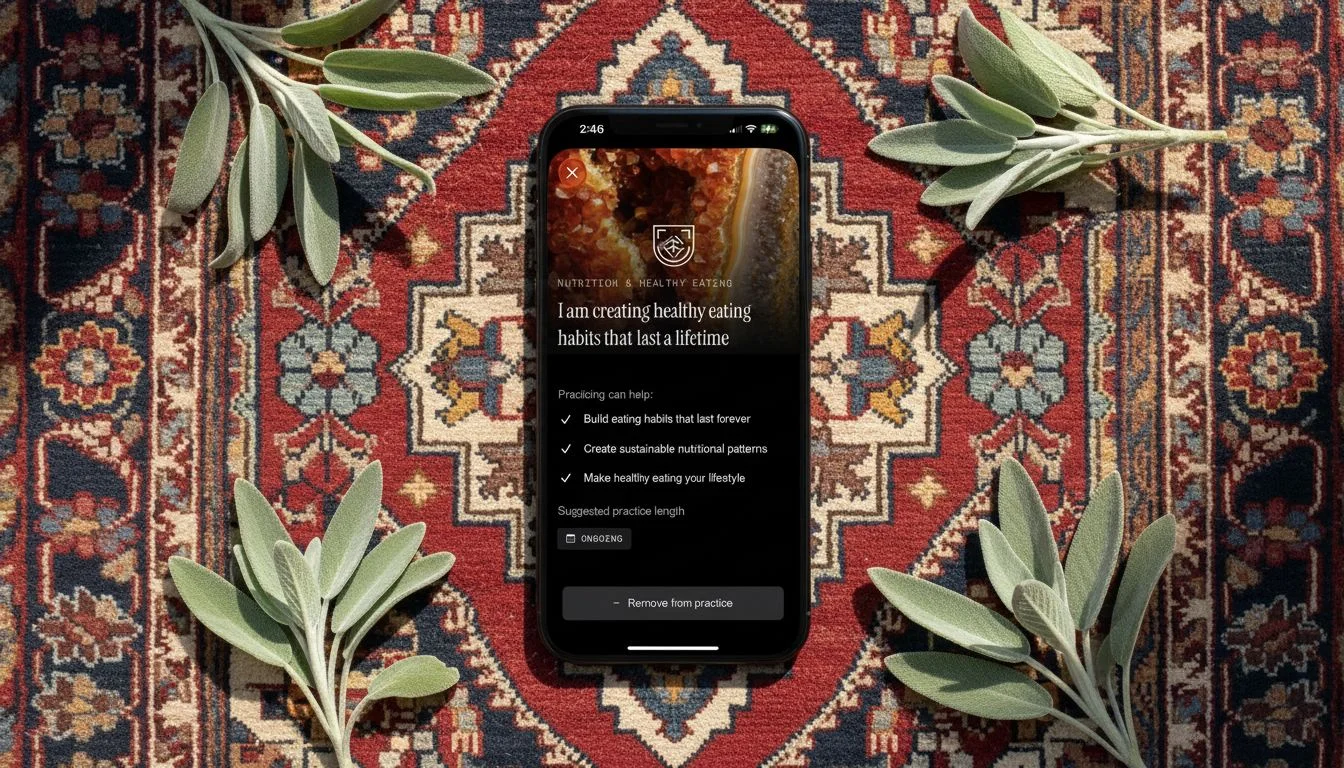
Nano Banana quietly did a solid job. It preserved the reference images in close to their original form with only minor loss on some smaller avatars in the social post reference. Prompt consistency was perfect — all three backgrounds came back usable every time.
Resolution holds it back from app store or landing page work, but for blog posts, social content, or pitch decks, it’s a reliable middle-ground option at the lowest generation time of any model I tested.
Nano Banana — tested by Tortuga
Qwen Image 2
| Resolution | Fidelity | Consistency | Avg Time | Cost |
|---|---|---|---|---|
| 1 | 3 | 2 | 14.2s | $0.08 |
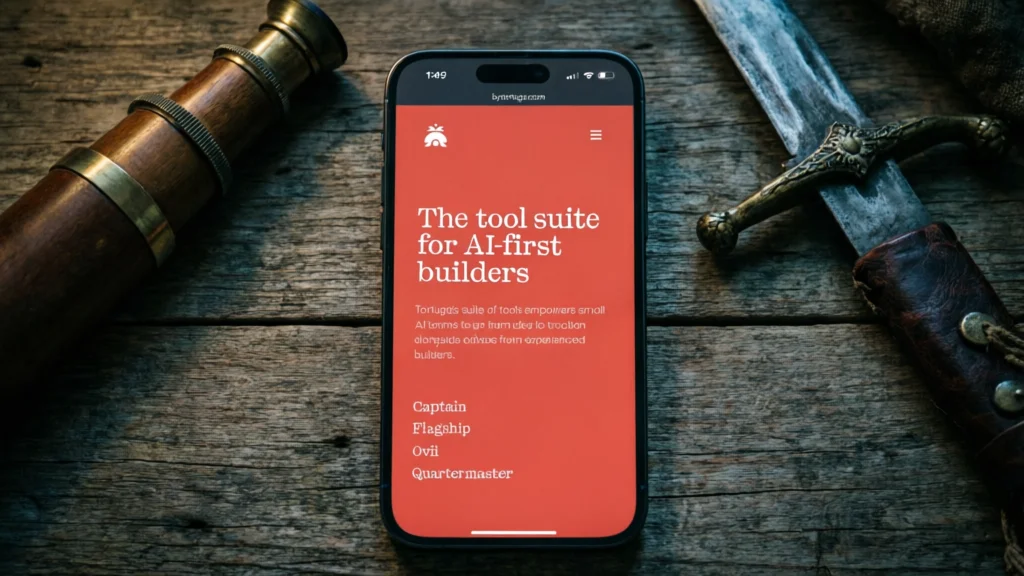
I’d originally planned to include Qwen Image 1 as well, but the quality was so poor it couldn’t even get the basics right — things like including the reference image and respecting a preselected aspect ratio.
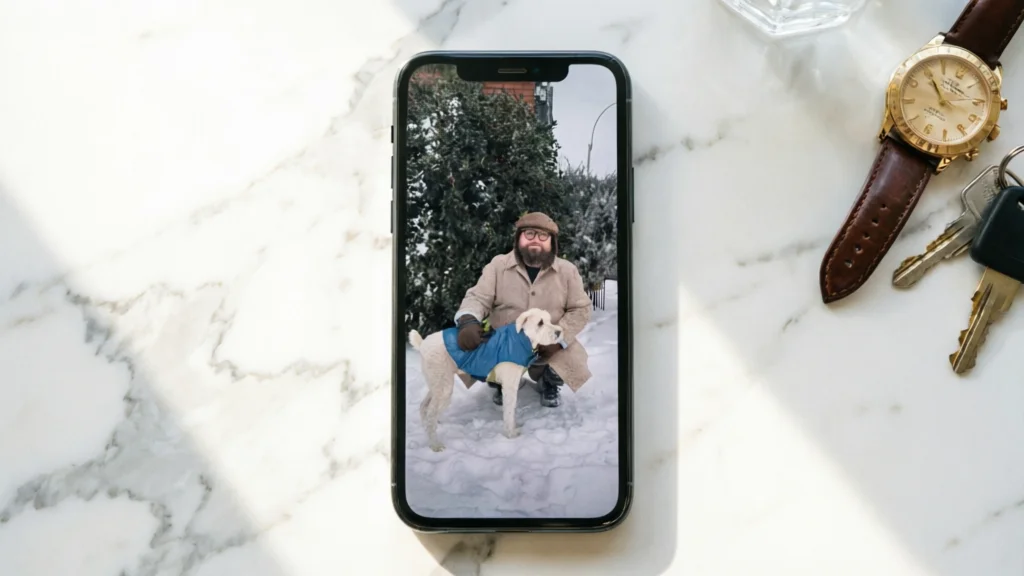
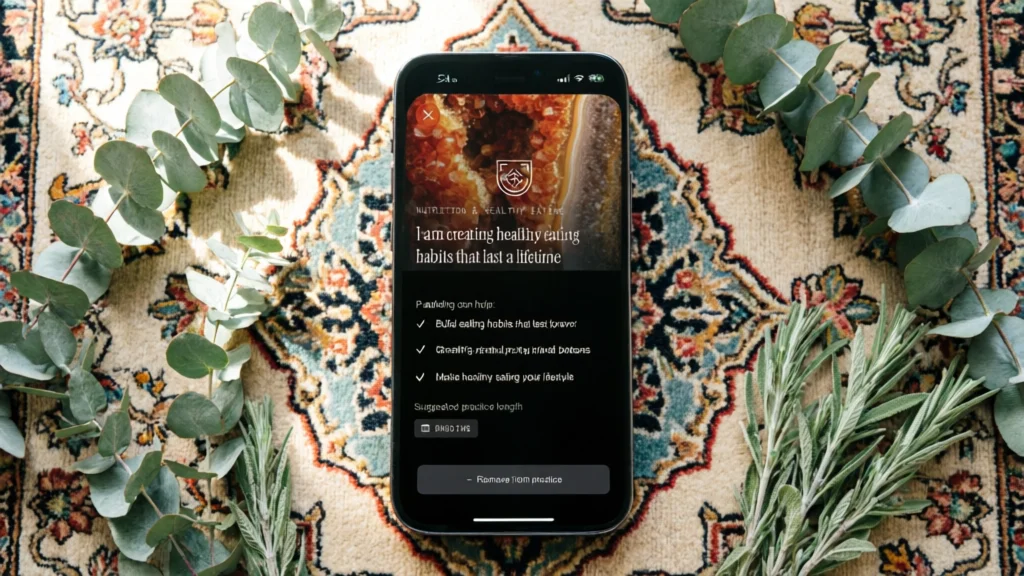
Qwen Image 2 was better, but not by much. It failed to respect the 90-degree overhead angle. Image quality was too low for any marketing use case. On the social post reference, it dropped all the UI and just stretched the photo to fill the phone screen. And at eight cents per image, it’s the third most expensive model while being the least usable. Skip it.
Qwen Image 2 — tested by Tortuga
Flux 2 Pro
| Resolution | Fidelity | Consistency | Avg Time | Cost |
|---|---|---|---|---|
| 5 | 5 | 4 | 15.5s | $0.09 |
Flux 2 Pro delivered the best combination of resolution, reference fidelity, and speed of anything I tested.
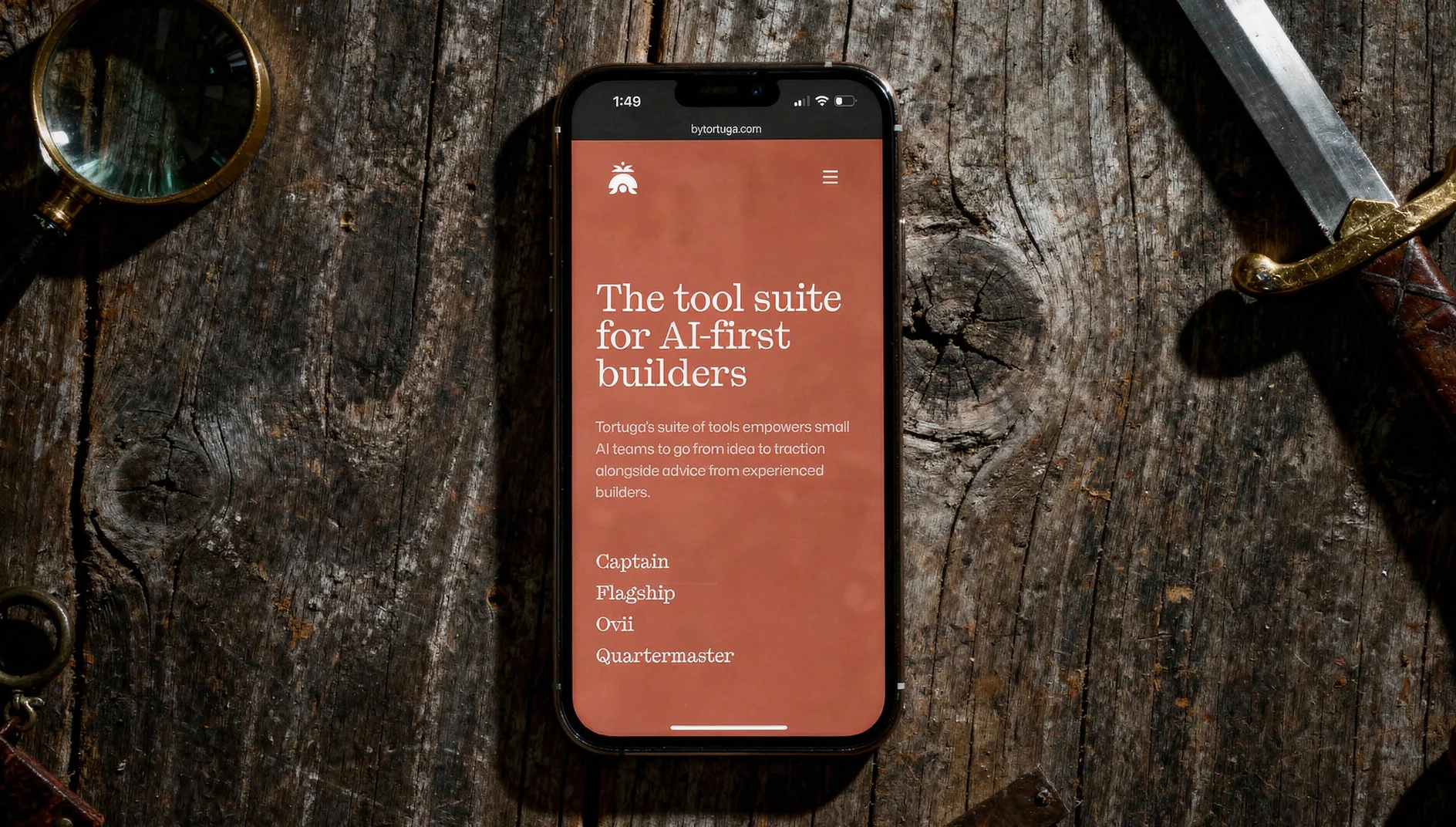
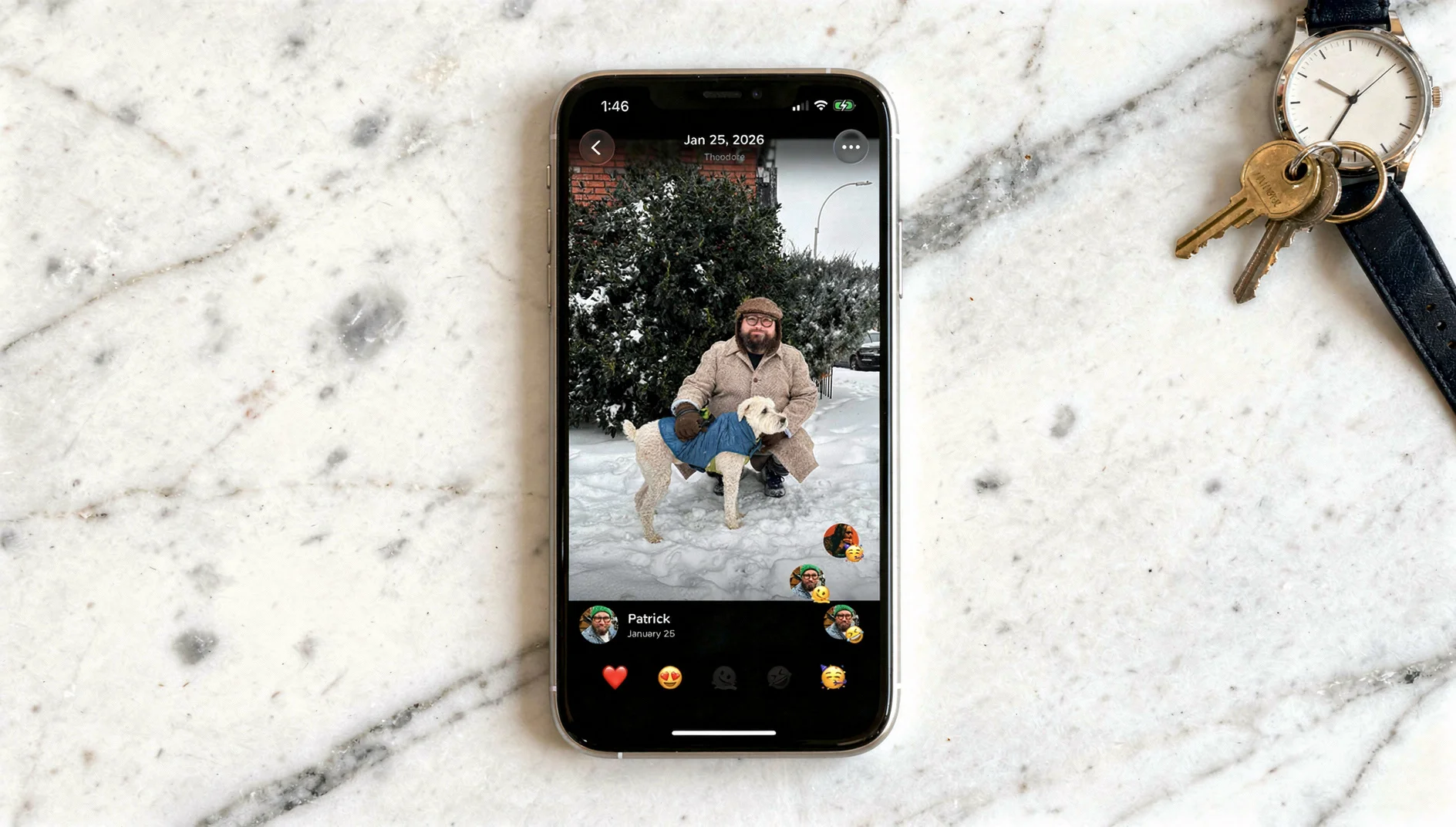
The lighting across all three prompts was excellent. Image dimensions were large enough for any marketing context. Reference preservation was the best in the group — text stayed readable, faces stayed accurate, brand colors stayed correct.
The only ding: on the dark moody lighting prompt, the warm ambient tones shifted some of the app’s UI colors slightly. I’m fairly sure this is a lighting-interaction issue rather than a fidelity issue — the model nailed every typographic detail and the browser chrome, which tells me it’s rendering the reference accurately and then the scene lighting is affecting it. That’s a reasonable tradeoff. It knocked the consistency score from a 5 to a 4, and I can live with that.
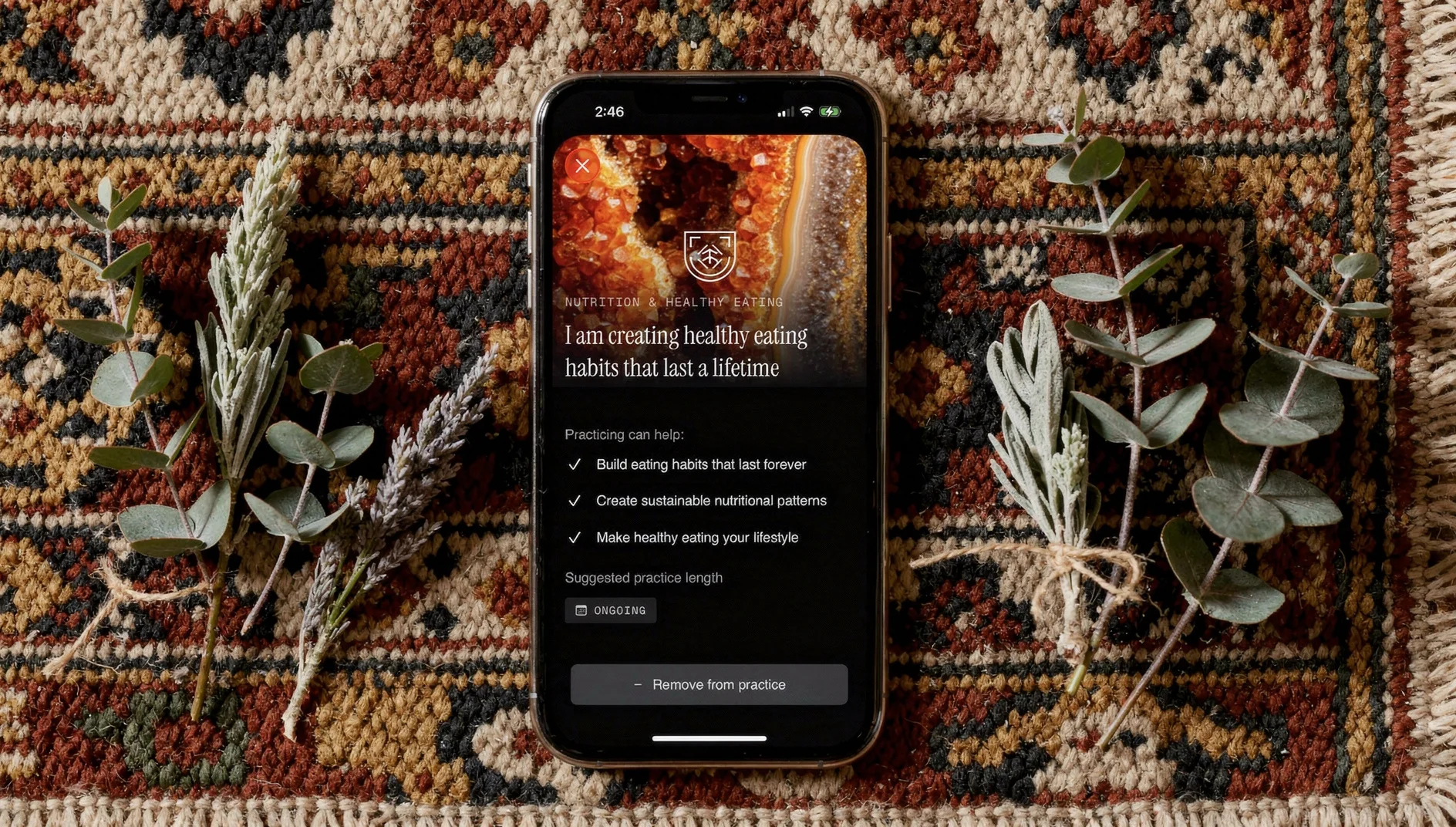
Flux 2 Pro — tested by Tortuga
Nano Banana Pro
| Resolution | Fidelity | Consistency | Avg Time | Cost |
|---|---|---|---|---|
| 5 | 4 | 5 | 37.3s | $0.15 |
Nano Banana Pro produced the highest overall polish. Proportions were dead-on. It respected the 90-degree angle every time. Resolution was excellent. The only fidelity issue was subtle stretching on some text in the third reference image — small enough to miss at a glance, noticeable enough to bother you once you see it. Designer’s curse.
Having used Nano Banana Pro to power a previous mobile app, the real problem is reliability. The API threw frequent errors and multiple runs needed retries. If you’re generating images manually for a one-off campaign and you have time to babysit it, Nano Banana Pro is arguably the best single-image output in this group. If you need it to work reliably at any kind of volume, the errors are a dealbreaker.
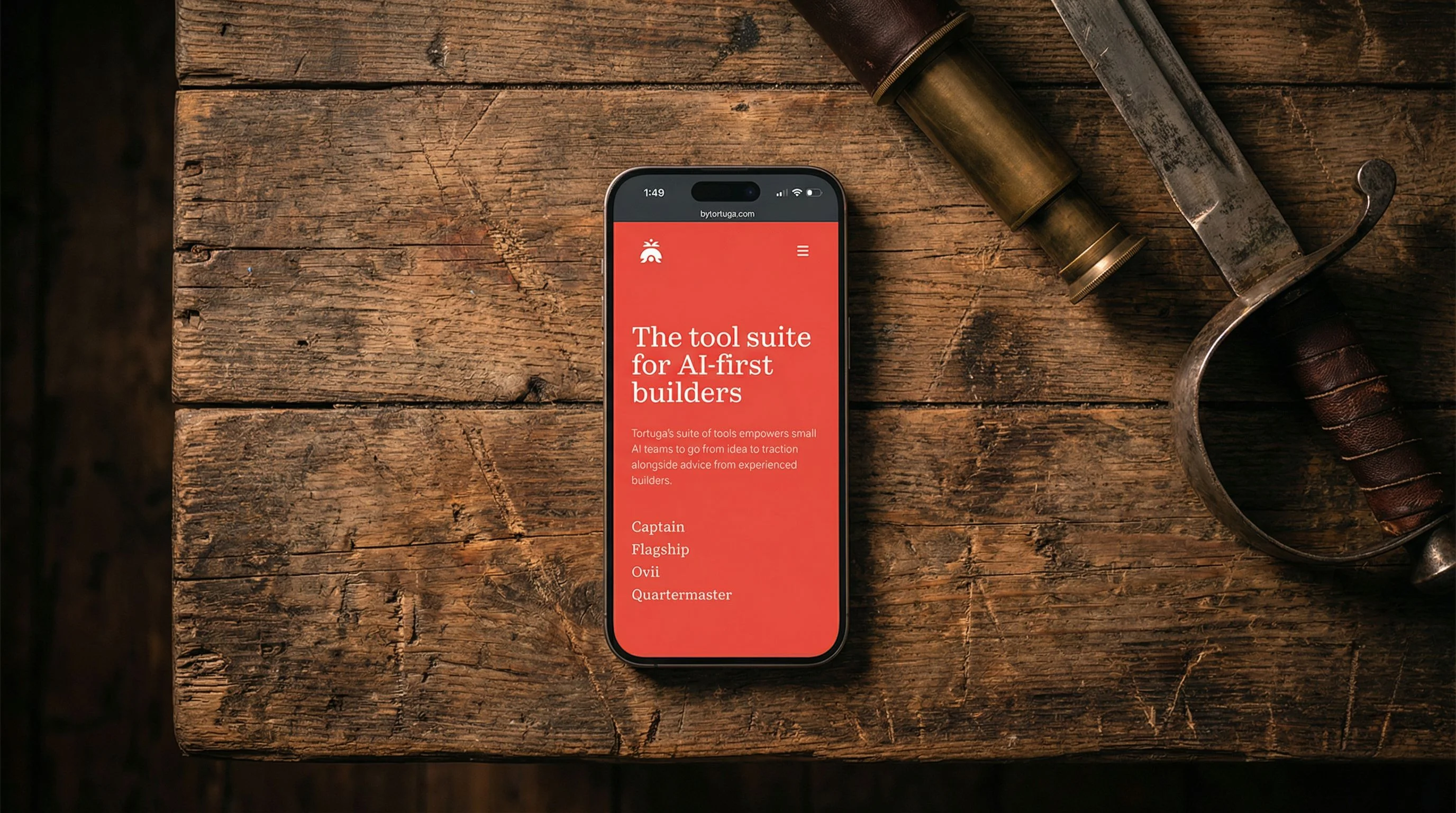
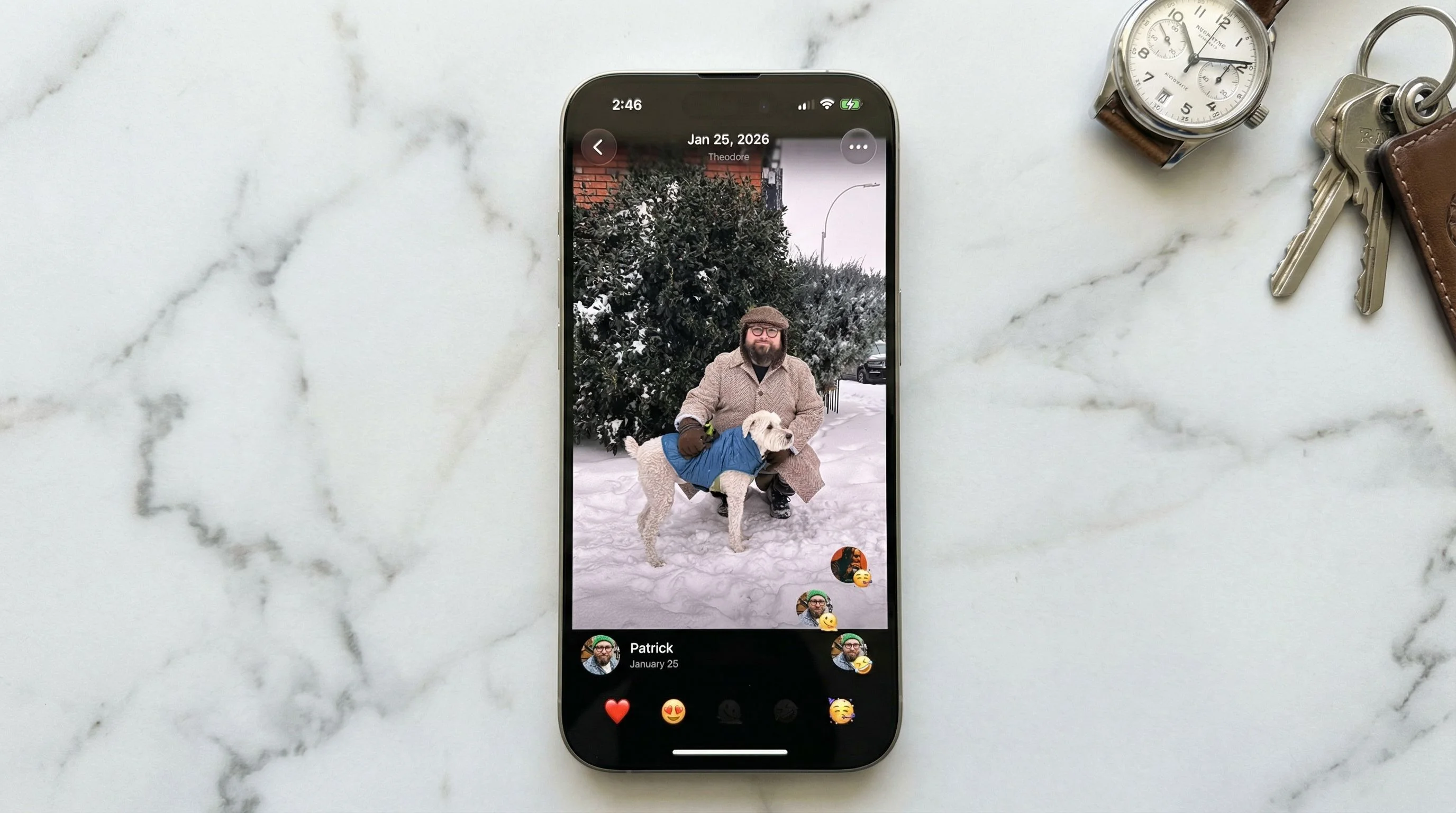
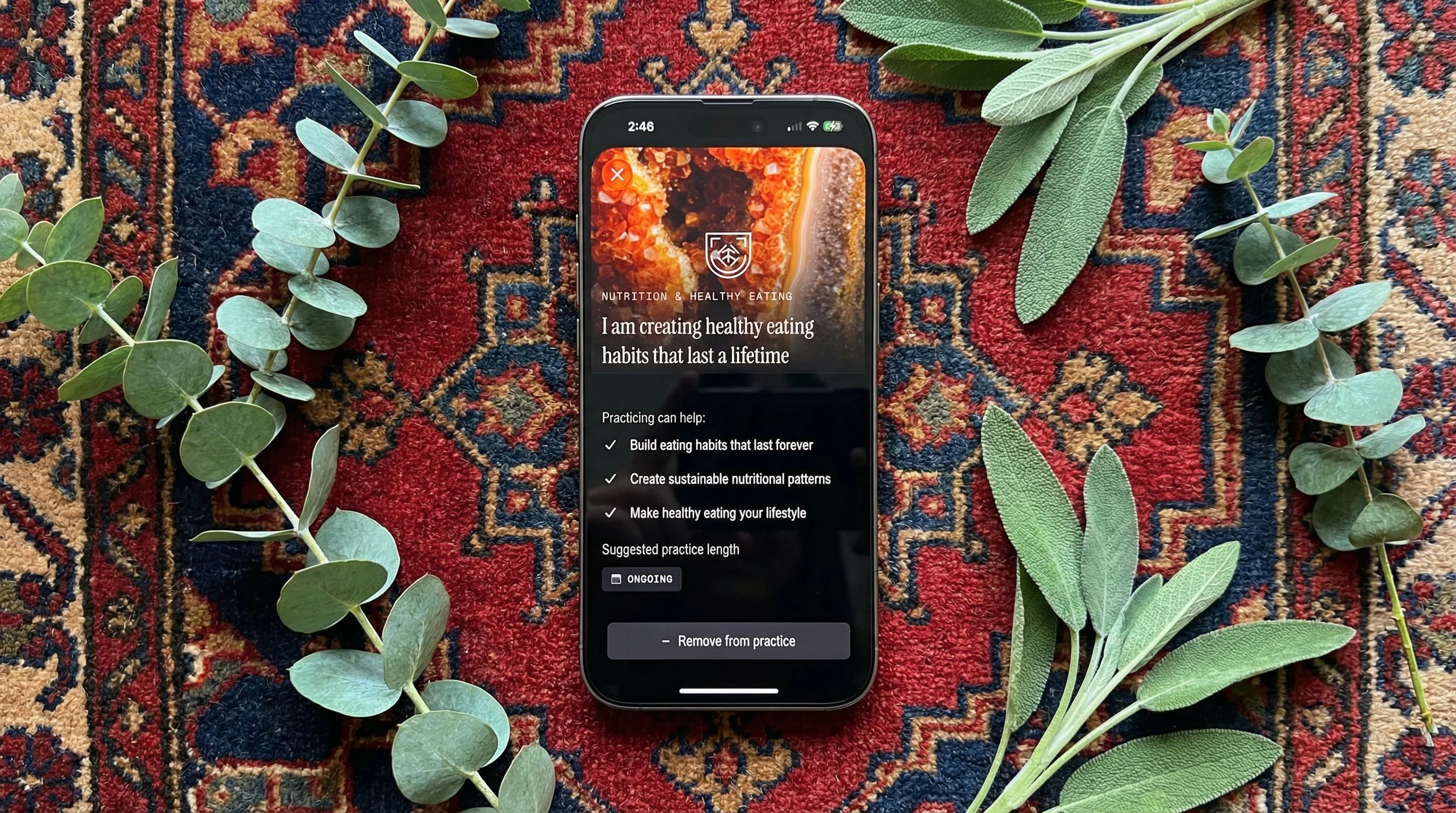
Nano Banana Pro — tested by Tortuga
The Verdict
The best model isn’t the one that produces the best single image. It’s the one that produces consistently good images without failing on you.
Flux 2 Pro. It generates in about 40% of Nano Banana Pro’s time at about 40% of the cost, and the quality gap between them is marginal. The only scenario where I’d reach for Nano Banana Pro instead is a high-stakes one-off — a featured app store graphic, a homepage hero — where I can afford to retry on errors and I want that last bit of polish.
We’ve been using Nano Banana Pro for exactly that kind of manual work, but we’re moving to Flux 2 Pro for anything that needs to be repeatable at scale.
One thing I’d flag for anyone running a similar evaluation: weigh reliability and speed from the start. I made the mistake of optimizing for pure output quality first, which led me to Nano Banana Pro. It wasn’t until I tried to use it in an actual workflow — with actual deadlines and actual error rates — that “highest quality” stopped being the most important variable.
Share this article: